4:50

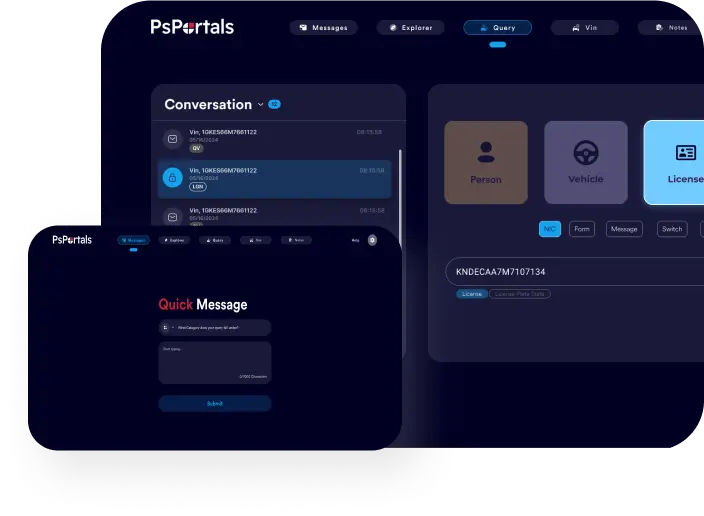
Unified Browser-Based Platform for PublicSafety Agencies

From NCIC / Nlets compliance to real-time portal control; manage everything in one secure, browser client.

Admin Trust

Blue circular checkmark icon representing confirmation, approval, and successful validation within PsPortals workflows.”

CJIS / NCIC / Nlets Compliant

Blue circular checkmark icon representing confirmation, approval, and successful validation within PsPortals workflows.”

24/7 Support for Agency Admins

Blue circular checkmark icon representing confirmation, approval, and successful validation within PsPortals workflows.”

Enterprise-grade Data Encryption

Blue circular checkmark icon representing confirmation, approval, and successful validation within PsPortals workflows.”

Deployed at + State & Local Agencies

User reviewing secure digital forms on a large tablet interface, featuring privacy shields and lock icons that represent PsPortals secure data management and protected user information workflows

Why PsPortals

Today’s public safety agencies face fragmentation, including separate systems, silos, manual data handoffs, and excessive security overhead. PsPortals offers a unified, browser-based platform explicitly designed for the criminal justice sector. Whether you’re a CJIS System Officer, Terminal Agency Coordinator, or agency administrator, you get absolute control, compliance built in, and seamless user experience across modules.

Benefits

Centralized Control, One Dashboard

Manage user privileges, module access, and data flows across all PsPortals modules from a single admin console.

Compliant by Design

Built-in NCIC / Nlets / Triple I business rules, code tables, and formatting — no bolt-ons or retrofits.

Fast Onboarding & Configuration

Ship a new agency setup in days ; template imports, agency profiles, default roles, integration with state systems.

Audit, Monitoring & Reporting

Full audit trails, real-time dashboards, change logs, and alerts to maintain oversight and accountability.
Business professional using a laptop with various productivity, security, and performance icons displayed, representing PsPortals workflow optimization and employee management tools
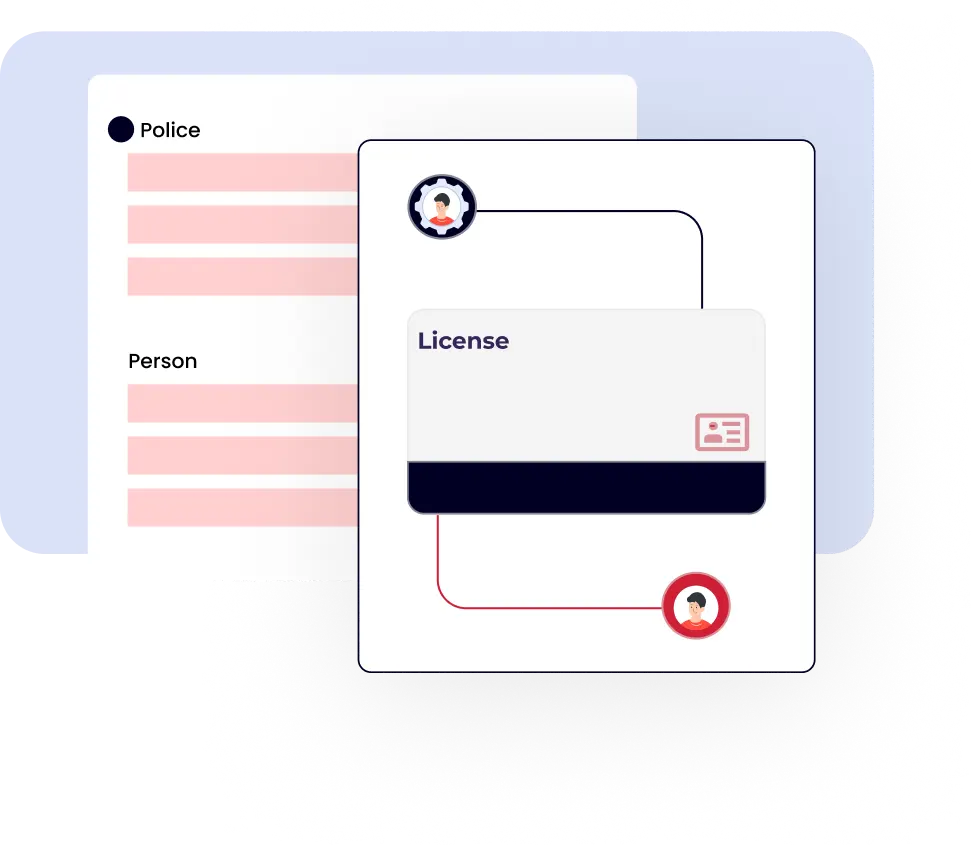
Digital illustration of police and person records connecting to a license profile, representing PsPortals automated identity matching and integrated records management.
Key Features
Portal XL – Full Browser Client
Zero-footprint browser client; no files installed on user PCs. Every interaction flows through security-controlled endpoints.
Personal Portal (Mobile / Remote Access)
Extend secure access to officers and external partners via iOS, Android, or Windows browsers without compromising control.
Testing & Certification Module
Built for CJIS / NCIC exam certification. Manage test delivery, certification cycles, retakes, and compliance reporting in one unified system.
Super Administrator Module
Ultimate control layer; create agency hierarchies, module assignments, role templates, data partitions, and primary config.
Cross-Module Workflow & Data Sharing
Seamlessly pass validated data between modules (e.g., user management, portal access, test data) without manual imports or scripts.
Real-Time Alerts & Monitoring

Set thresholds, triggers, and automatic alerts (login anomalies, config changes, audit exceptions) to keep admins informed.

Feature Comparison / “Which Module Does What” Table

Capability Portal XL Personal Portal Testing & Certification Super Administrator
Browser Client / zero install
Mobile / remote access (Config) ✓
Role & permission configuration (Config) ✓
Module interconnectivity (Config) ✓
Compliance / code table enforcement (Config) ✓
Audit logs & reporting
Alerts / monitoring
Agency template support (Config) ✓
State / local integration

Admin Scenarios

Onboarding a New Municipal Agency

  • The admin uses a template wizard to create the “City PD Dept” under the state umbrella.
  • Imports the agency user roster (CSV) and assigns initial roles.
  • Enables Portal XL and Personal Portal modules for that agency.
  • The system automatically applies the correct NCIC business rules and code tables. Once that’s done, the admin notifies the TAC, and user access is usually up within 24 hours.

Managing Certification Expirations

  • The admin checks certification schedules in the Testing & Certification dashboard.
  • Users who are nearing expiration are flagged approximately 30 days in advance.
  • The admin can then send out retake instructions or set up a practice exam automatically.
  • The reporting dashboard shows compliance by agency, region, or state.

Responding to an
Audit

  • The supervisor requests logs of who changed configurations in the last 90 days.
  • Admin pulls the audit log report (filtered by module/user).
  • The report includes before/after values, timestamps, and user IDs.
  • Admin exports to PDF/CSV and delivers to the oversight authority.

Challenge:

State managed three disconnected systems (certification, access, role management) with manual syncing and audit issues

Solution:

Implemented PsPortals suite (Super Admin, Portal XL, Personal Portal, Testing). Onboarding in six weeks
tick mark

Onboarding new agencies now 70% faster

tick mark

Passed NCIC audit with 100% compliance.


tick mark

Local agencies managed in one place.

tick mark

Real-time alerts and audit logs.

Quote

With PsPortals, our TAC team finally has one tool, one dashboard,
and one source of truth.” — State CJIS Officer.

Person using a laptop with a security shield icon in the background, representing PsPortals secure remote access and encrypted data protection

Robust Security & Compliance Highlights

Blue circular checkmark icon representing confirmation, approval, and successful validation within PsPortals workflows.”

CJIS / NCIC / Nlets Compliant

built-in controls, code tables, formatting, and audit rules that meet federal & state mandates

Blue circular checkmark icon representing confirmation, approval, and successful validation within PsPortals workflows.”

Encryption in Transit & At Rest


AES-256 encryption, TLS 1.3, secure VPN tunneling where required

Blue circular checkmark icon representing confirmation, approval, and successful validation within PsPortals workflows.”

Role-Based Access Control & Least Privilege

granular permissions at module, field, action levels

Blue circular checkmark icon representing confirmation, approval, and successful validation within PsPortals workflows.”

Multi-Factor Authentication & SSO

integrate with agency identity providers

Blue circular checkmark icon representing confirmation, approval, and successful validation within PsPortals workflows.”

Audit Logs & Tamper-Evidence

every change logged, with before/after, timestamp, and user ID

Blue circular checkmark icon representing confirmation, approval, and successful validation within PsPortals workflows.”

Regular Penetration Testing

third-party audits and ongoing security review

Blue circular checkmark icon representing confirmation, approval, and successful validation within PsPortals workflows.”

High Availability & Redundancy


geo-redundant infrastructure, failover, backups

Awards / Certifications

Blue circular checkmark icon representing confirmation, approval, and successful validation within PsPortals workflows.”

ISO 27001 Certified

Blue circular checkmark icon representing confirmation, approval, and successful validation within PsPortals workflows.”

SOC 2 Type II

Blue circular checkmark icon representing confirmation, approval, and successful validation within PsPortals workflows.”

CJIS Approved Vendo

Blue circular checkmark icon representing confirmation, approval, and successful validation within PsPortals workflows.”

Partner Agency Logos

Blue circular checkmark icon representing confirmation, approval, and successful validation within PsPortals workflows.”

30+ Years in Public Safety Tech

Trophy and award badges representing achievement, recognition, and quality excellence in PsPortals performance and service standards.

FAQ

Basically, you don’t have to install anything on your computers. Everything runs right in the browser, which keeps endpoints clean and easy to manage.

A: You can definitely start with just one module. Each module works independently, but when connected, it provides shared data, smoother workflows, and a single point of management.

A: For most agencies, onboarding takes about 1–2 weeks. Larger statewide rollouts typically take 6–8 weeks, as they include setup, user import, and training.

A: Yes. The Super Admin module is designed for this purpose. You can create templates, set up sub-agencies, pass down permissions, and even clone profiles if you need to.

Contact Support

Every agency gets its own onboarding specialist and a real walkthrough.

Scroll to Top