

The Installed Software Problem
A medium-sized police department finds out that there’s a critical vulnerability in their installed Records Management System (RMS) client software. Regrettably, the agency’s IT department has to individually schedule the updates of 75 workstations, which may take weeks to complete.
During this window of vulnerability, ransomware can attack unpatched systems, encrypt them and hold them hostage, putting Criminal Justice Information (CJI) at risk of unlawful access.
Browser-based portals eliminate this risk entirely since there’s no local client software installed. This means no per-device patching, no update delays, and no gaps for ransomware attacks to slip through. Instead, the security patches are centrally deployed to every unit, which safeguards all the users immediately.
For these reasons, many law enforcement agencies increasingly shift to browser-based access, recognizing its superior security architecture compared to installed software.
This article discusses what browser-based portals are and how they work. It explains why they’re safer and what agencies gain beyond security when they substitute installed applications with browser-based access.
What Are Browser-Based Portals
Before going in-depth about why they’re safer, understanding browser-based portals and what they really are comes first.
Browser-based portals refer to the applications that can be used purely through conventional web browsers, such as Chrome, Edge, and Safari. These platforms don’t need to be installed on endpoint devices. Users are authenticated via browser, and all application logic and processing are done on secure remote servers. The browser serves only as a display interface.
Architecture Components
Web portals use server-side application hosting, where all processing is remotely run on centralized servers and not on local devices. The browser simply acts as a window that shows the results, without executing code locally.
Every interaction between the browser and servers travels through encrypted HTTPS connections, keeping data protected in transit. Access is managed through session-based authentication, and user credentials are never saved on the device.
Many browser-based portals have a zero-footprint architecture, so they never store nor cache sensitive data locally, which ensures that when a session ends, nothing is left behind.
What Makes It “Browser-Based”
Branding is not what makes an application really browser-based, but structure. A true “browser-based” application requires no client software to be installed or maintained, works on any device using a compatible browser, and stores no application code on local devices. Updates are also done purely on the server, and any user has the same interface, irrespective of the device or operating system.
Contrast with Installed Software
Conventional installed software runs directly on the device’s own CPU and memory. To improve speed, it also often stores, or caches, data locally. The tradeoff, however, is that it can create additional security considerations if a device is ever lost, stolen, or compromised.
Updates and security patches also have to be pushed out and applied device by device. And when the agency uses dozens of devices, maintenance quickly becomes time-consuming and complex.

Installed Software Security Challenges
Installed software has long been used in law enforcement, and it has done a great job. But with the evolving cyberthreats and growing demands for stronger security, they may not be as effective for long.
Vulnerability Management Complexity
Vulnerability management becomes exponentially complex the bigger the agency is. Every installed application introduces an attack surface on any given device. Patches have to be applied one by one when vulnerabilities are detected.
Worse, critical updates may take days or weeks to be enforced on all systems. During this time, some devices are left defenseless against cyber attackers.
Local Data Storage Risks
Another issue with installed software is data storage, as it stores and caches data on the device. Although this boosts performance, CJI may also accrue unnoticed on hard drives over time.
In case a device gets stolen or lost, sensitive data is in danger of being exposed, a stark contrast to web-based access. Malware can also exfiltrate locally stored information, whereas ransomware may encrypt application data and system files at the same time.
Configuration Drift
Security is also undermined by configuration drift. With traditional setups, every single device needs to be configured separately with varying parameters. Updates on installed applications also have to be personally initiated by the user. However, some officers might postpone or even disregard updates and leave outdated and exposed versions in circulation.
As a result, security postures within the fleet become inconsistent. This exposes individual devices to more risks. IT teams and auditors will have to manually check each installation, making it hard to perform compliance verification.
Insider Threat Exposure
When applications are installed directly on devices, insider threats are more difficult to manage. If a device isn’t recovered promptly after an employee leaves, especially in cases of termination, cached files may be accessed and extracted.
Even uninstalling the software doesn’t ensure that data is erased. Forensic recovery programs can retrieve the information that has been stored in the memory.
Why Browser-Based Is Safer
From centralized security patching to zero-footprint architecture and reduced compliance burden, browser-based security has several features that make them safer than legacy systems.
Centralized Security Patching
Instead of patching hundreds of endpoints, security teams only patch a vulnerability on centralized servers. Upon patch deployment, everyone is instantly safeguarded, only hours after disclosure.
Updates don’t require user intervention and typically cause no operational downtime, so officers just log in and continue working. This eliminates a long exposure period, and no device will be left unprotected.
Zero Local Data Storage
Web portals significantly reduce data breach risks because no CJI is stored or cached on local devices. If a laptop is stolen, compromised by ransomware, or infected with malware, agencies don’t have to worry about exposed data.
As there’s no application code installed, attackers practically have zero local vulnerabilities to exploit. They won’t find stored database queries, draft reports, or sensitive information, only a clean device with no local data footprint.
Consistent Security Posture
Every officer uses the same server-side system with uniform security controls. Security policies and updates are enforced through a centralized server.
So, unlike traditional setups, web-based portals present no configuration inconsistencies. Auditing and CJIS compliance verification can be focused on a central server rather than hundreds of devices.
Insider Threat Mitigation
Deactivation of access would automatically block the terminated users because no programs or records are stored in the devices. CJIS-approved browsers, like Chrome, Edge, and Safari, do not store any sensitive information.
Reduced Endpoint Compliance Burden
Devices that do not store CJI have reduced compliance requirements. Although full-disk encryption is still recommended, it becomes less critical when zero CJI is stored.
Agencies also won’t have to go to extra lengths for physical security because no sensitive data lives on the hardware itself.
Even device disposal is simplified. With browser-based security, agencies don’t need to perform extensive forensic sanitization procedures before retirement or reassignment. Standard data-wiping protocols are typically sufficient.

Operational Benefits Beyond Security
Browser-based portals provide operational benefits on a day-to-day basis that go beyond enhanced security.
Instant Deployment
New users can immediately get access to the system using a web browser without the need to install any software. It saves agencies’ IT help desk requests that involve the setup, as installation and extra equipment are not needed. New employees can be more productive from day one.
Universal Device Compatibility
Using web-based portals, agencies can access the same interface on Windows, Mac, Chromebook, iPad, and Android tablets. Officers are able to access work on personal devices without installing agency-managed software, which presents true platform independence.
Simplified IT Support
Browser-based portals free IT teams from a lot of manual work, as they only have to maintain one backend system instead of looking after hundreds of individual devices across the agency.
Troubleshooting is focused on centralized logs rather than device-related problems, which dramatically decreases helpdesk call volume.
Remote Work Enablement
Browser-based portals allow officers to perform their duties at home through personal computers without requiring agency software installation. In many cases, no VPN client installation is required.
Remote access for work-from-home operations is also easier since no Criminal Justice Information is stored in home devices, meaning endpoint devices carry less risk of data breach and exposure.
Browser-Based vs Installed Software Comparison
As agencies look for faster deployment, tighter security, and less IT overhead, browser-based platforms are increasingly replacing installed software. When compared side by side, the operational and security differences are apparent.
Installation Requirements
Browser-based access does not need any other software or local setup, just the usual browser. Installed software, on the other hand, has to be installed per device, has to have the proper user permissions, and needs to use local disk space to hold application files.
Security Updates
Browser-based systems centrally apply updates so that security patches can safeguard all users within a few hours. Installed software relies on per-device update cycles that may require days (or weeks) to finish and expose systems in the transition.
Local Data Storage
Many web portals employ a zero-footprint design that doesn’t store Criminal Justice Information in the device. Meanwhile, applications that are installed on computers have a high probability of data exposure as they are prone to storing queries or data in the local memory.
Device Theft Impact
Under browser-based access, there is no stored CJI in the stolen devices, so breach concerns are eliminated. Software installed on individual devices can hold cached data, which would form a potential CJIS reporting obligation.
IT Support Burden
Browser-based solutions are managed on a single server application, whereas installed software needs constant maintenance of a complete fleet of devices.
User Device Flexibility
Mobile devices all have browsers, and that’s the only thing browser-based portals need to work. Whether on iOS or Android, on phones, tablets, and laptops, web portals will work perfectly fine.
Installed software often limits the use to supported operating systems and requires installation on endpoints.
PsPortals Browser-Based Platform for Law Enforcement
Law enforcement agencies require secure access to NCIC, state systems, and sensitive CJI during day-to-day policing on their workstations, patrol vehicles, and mobile devices. However, installed software makes it complicated as it is often riddled with security threats, delays in updating, and local data exposure.
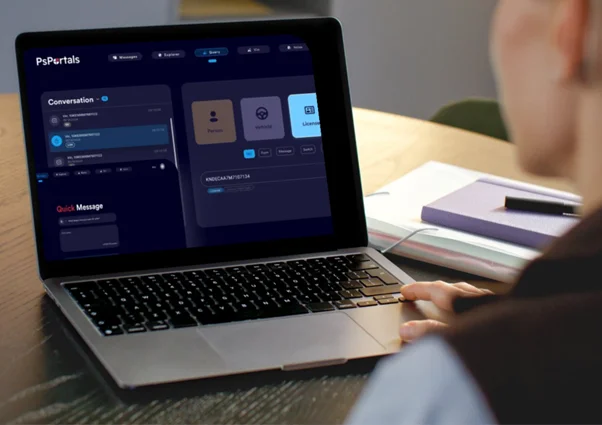
For over 30 years, PsPortals has pioneered a browser-based system providing secure, CJIS-compliant access without requiring the client to install software.
Portal XL: Browser-Based Desktop Access
Portal XL delivers a zero-installation, browser-based platform for dispatch centers, detective bureaus, and records divisions, enabling secure access to NCIC, Nlets, and state systems using regular web browsers.
Architecture Benefits
Portal XL offers convenience without compromising security. Officers and dispatchers access critical databases via Chrome, Edge, or Safari with no software to install or maintain.
IT enables access through user provisioning, and not software deployment, so new workstations are added to the environment instantly without installation processes.
All database queries and processing occur on secure PsPortals cloud servers, not local workstations. That means encrypted results streamed to the browser, session-based authentication, and audit logging leave no local storage or caching.
Security in Practice
With PsPortals, a malware-infected workstation has no local software to attack, no cached database queries to retrieve, and no configurations to compromise.
Ransomware wouldn’t be able to encrypt CJI since all sensitive data are kept secure in central servers. When a security vulnerability surfaces, patches are applied directly to PsPortals’ servers, often within hours, so every agency user is protected at once.
In actual policing, when a law enforcement agency substitutes outdated workstations in the records section, the difference becomes clear. Using traditional systems, IT must uninstall database software, forensically wipe cached CJI, then install new software, and individually configure each one.
Conversely, PsPortals allows users to just log in via browser as soon as new workstations are delivered. No need for local installation. Old machines can be retired without extensive CJI sanitization.
Personal Portal: Mobile Browser-Based Access
Personal Portal provides safe field database access on both iOS and Android by implementing the principles of browser-based architecture.
Mobile Browser Architecture
Mobile applications serve as specialized secure browsers as opposed to conventional installed applications. Database queries are handled at servers like Portal XL, and results are sent in an encrypted format and displayed without being written on the machine. This zero-footprint mobile protocol dramatically decreases data breach risk from lost or stolen smartphones.
Officer Scenario
Suppose the smartphone of a detective is stolen from a vehicle. Using a traditional installed database application that stores sensitive data locally, there’s a possibility of a CJIS breach, requiring victim notifications and FBI breach reporting.
But with PsPortals’ Personal Portal, there’s no locally cached or stored data on the stolen phone. The incident becomes more manageable, as it will only need equipment replacement. The agency won’t have to deal with breach risks, CJIS notifications, and long-term issues.
Mobile App Advantage
Personal Portal provides the convenience of mobile database access and the safety of browser-based portals without the security risks that come with installed applications.
Why PsPortals’ Browser-Based Approach Works for Law Enforcement
PsPortals provides a mature, CJIS-compliant architecture that satisfies the requirements of FBI Security Addendums, in addition to leveraging the benefits of browser-based security.
Audit logging happens automatically on the server, removing the tangle of endpoint log management and reducing the risk of human errors. Security updates are applied centrally and take effect immediately, protecting every user without the hassle of device-by-device patching. To top it off, the system follows a zero-footprint architecture, so no CJI is ever locally stored on any device.
For multi-agency environments, the Super Administrator module makes it possible to manage county-wide access through the browser.
PsPortals also exhibit flexible integration APIs, allowing CAD and RMS to be embedded without further software installations.
With more than 30 years of serving law enforcement with CJIS-compliant browser-based access, PsPortals is custom-designed and refined to fulfill criminal justice security requirements.
Real Agency Impact
For an 80-officer agency transitioning from installed database software to PsPortals browser-based access, the difference is quite clear.
IT teams were relieved from individually installing local software on 80 devices, and the patch management workload became lighter.
With zero local data storage, CJIS endpoint compliance was simplified for the entire agency. Officers also get to safely work from home and access critical databases without installing software on their personal computers.
Implementation Considerations for Agencies
Switching to browser-based portals isn’t something agencies should rush. It needs thoughtful planning to make sure the platform is not only secure but also genuinely improves day-to-day operations.
Assess Current Installed Software
The first step would be to conduct an inventory of applications that are currently present on agency devices. Determine what systems handle and contain sensitive Criminal Justice Information (CJI). They should be the first to be replaced with browser-based alternatives.
Database access tools are ideal candidates for web portals transition, as they can provide the highest security improvement and the least workflow disruption.
Verify True Browser-Based Architecture
Not everything available in the market as a browser-based solution fits the bill. Ensure that no client software, local components, or plugins are needed. Test access with just a normal browser and confirm a real zero-footprint design with no local storage of data.
Plan Browser Standardization
Standardize on CJIS-approved browsers, usually Chrome or Edge, and make that the official policy across the agency. Make sure automatic browser updates are enabled so security patches and protections stay current without relying on manual intervention.
Also, require users to complete basic security training focused on safe browsing habits, phishing, malware, and exploits recognition, password hygiene, and proper session handling.
Address Connectivity Requirements
Unlike installed software that can be used even when offline, web portals need network connectivity. To address this, evaluate the agency’s capacity to provide reliable network availability. Implement backup cellular and satellite connections when necessary, especially in remote and rural jurisdictions.
Most agencies, however, find that network connectivity is sufficient to support browser-based transitions.
Measure Security Improvement
Document how long it actually takes to patch installed systems by tracking the timeline from the moment a vulnerability is discovered until it’s resolved and everyone is fully protected.
Once transitioned, compare the times of the server-side update to demonstrate deployment cycles improving from weeks to hours.
FAQ: Browser-Based Portals
Why are browser-based portals safer than installed software for law enforcement?
Browser-based portals don’t store or cache sensitive data on the device, eradicating local attack surface. Security patches are also centrally installed in real time, so the entire device fleet is promptly protected with a consistent security posture. Web portals also mitigate insider threats as access can be deactivated, allowing agencies to immediately block unauthorized users.
What happens if an officer’s laptop is stolen with browser-based access?
When a laptop is using browser-based portals, CJI and other sensitive data, as well as credentials and audit logs, aren’t locally stored or cached. Therefore, agencies won’t have to worry about data breaches, CJIS notifications, incident response, and recovery expenses. All they have to do is replace the stolen equipment.
Do browser-based portals work on mobile devices?
Yes. Law enforcement browser-based portals support both iOS and Android devices by operating through CJI-approved browsers such as Google Chrome, Microsoft Edge, and Safari, which enable secure access to criminal justice databases across mobile platforms.
How do browser-based portals handle security updates differently?
While installed software has to be updated individually, security updates for browser-based portals are centrally applied. This ensures that all users are immediately protected in one go without requiring updates on each device.
Do browser-based portals meet CJIS Security Policy requirements?
Yes. Browser-based portals can meet the strict standards of the CJIS Security Policy, but only when the system is built properly. They must implement strong multi-factor authentication (MFA), secure encryption, comprehensive audit logging, and centralized access controls. Using web portals doesn’t guarantee CJIS compliance, but they make it simpler with the right underlying infrastructure and security policies.
The Security Choice
Browser-based portals eliminate security vulnerabilities inherent in installed software architecture. Because there’s no client software to install, there’s also no local attack surface to worry about.
Updates happen centrally, so when a security fix is deployed, every officer benefits immediately. This results in no device-by-device patching delays, no stray data sitting on endpoints, and far less risk of configuration drift across a fleet.
For law enforcement agencies handling Criminal Justice Information, the security mathematics favor browser-based architecture decisively. Every installed application increases the risk that each device carries.
In contrast, browser-based access centralizes security to the server, where it can be managed, monitored, and maintained more effectively.
Evaluate your existing installed software footprint. How many applications require installation? What’s the average timeline of deploying security patches fleet-wide? How much sensitive data is stored on endpoint devices?
Did those questions raise concerns? If yes, it might be time to explore secure browser-based platforms to help reduce security risks while maintaining operational capability and CJIS compliance. Contact PsPortals today.