
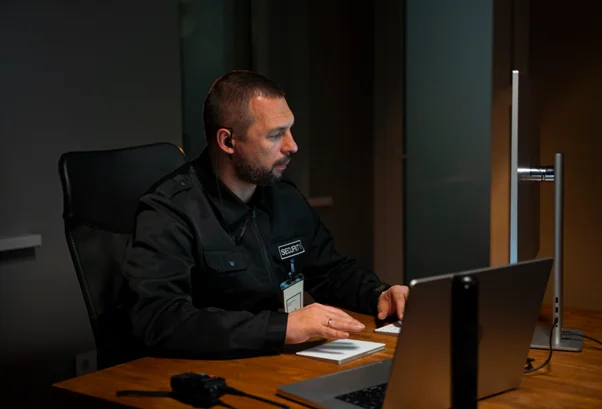
It’s Tuesday. You submit a support ticket. Thursday rolls around, so you follow up. Still nothing. By Friday, an automated email lands in your inbox: “We care about your problem.”
The next week, the login issue is still hanging out there unresolved. Officers are stuck double-authenticating during shift change. A sergeant emails you. Then your chief steps into your office and asks, “Are you fixing this?”
You are. But your efforts alone may not be enough when facing the uncomfortable reality. A lot of agencies stay with underperforming vendors far longer than they should. Not because they are satisfied. But because it seems risky to switch. Complicated. Politically difficult.
You’re not asking for perfection. You’re requesting responsiveness and accountability from a vendor who understands that your agency operates in a 24/7 environment. And that a slight portal delay may be felt deeply in patrol, dispatch, and records.
This article helps you understand the law enforcement portal vendor warning signs before the next contract renewal locks you in for another three to five years.
If something has been “off” and reflecting vendor relationship warning signs, this will help you name it, document it, and make the decision of when to switch law enforcement portal vendors.
Your Vendor Should Feel Like a Partner, Not a Problem You Manage
Since we are talking about red flags, we should define the standard first. A healthy vendor relationship means that you don’t need to pursue updates, submit weekly follow-ups, and feel like your problem is not being addressed.
A trustworthy vendor partner:
- Proactively flags CJIS Security Policy updates even earlier than you ask
- Reacts to critical tickets in hours and not days
- Treats your agency’s operational needs as their own priority
- Understands the operational effects of delays and downtime
- Suggests innovations and areas of improvement to you, not the other way around
Good software is not an optional infrastructure in a high-risk criminal justice environment. It has a direct influence on criminal justice information, NCIC lookups, warrants, and officer workflows.
If your portal vendor goes under, it is not just a minor trifle. It is an operational drag.
Remember this benchmark as we go through the most frequently occurring police software vendor red flags that agencies disregard.

Warning Sign 1 – Support Feels Like Shouting Into a Void
This is the most widespread and the most serious of all criminal justice portal vendor problems.
This could be support tickets that sit open for weeks. Closed issues that are not clearly resolved. Support staff who don’t understand the difference between a regular IT issue and a looming CJIS-compliance risk.
In law enforcement, mission-critical software demands mission-critical support SLAs (Service Level Agreements), defining what you can expect to receive from the provider. Their response times, uptime, and system performance must be up to par with what you need. A good vendor doesn’t leave you in the air hanging, especially during critical failures.
If your team has built workarounds for unresolved bugs with law enforcement software, that is not resilience. That is a red flag that will hinder real-world operations.
For instance, there’s a traffic stop that is carried out by an officer. They attempt an NCIC lookup but can’t complete it due to a login bug that the vendor has known about for 30 days.
This issue isn’t an inconvenience of the technical kind, but rather a liability exposure. Moreover, raising the same matter time and again is an indicator of institutional blindness. It implies that your vendor is not really concerned about your environment.
Officers should not be submitting IT complaints up their chain of command. They have to be directed to the vendor support. However, when vendor support is slow or unresponsive, officers will have no choice but to do so.
Ask yourself:
- What is the number of tickets that are beyond your internal capacity?
- Do you escalate the same issue more than once?
- Is support responding to your concerns on time?
When your vendor sees your portal as a typical corporate SaaS, without considering the critical urgency, then it’s a misfit. Law enforcement faces higher stakes in public safety, making fast support for software uptime an absolute necessity.
Warning Sign 2 – Your Vendor Is Always Behind on CJIS Updates
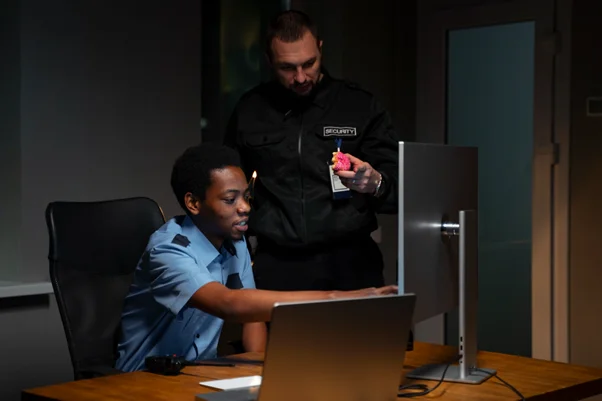
The FBI updates the CJIS Security Policy regularly, and every law enforcement software vendor must meet strict compliance requirements at all times.
Flagging updates and compliance gaps are the responsibilities of software providers. So, here’s the critical question: Who is discovering loopholes in compliance first? You or your vendor?
When your agency’s IT team finds the CJIS problems prior to your vendor informing them, the responsibility dynamic goes the other way.
Vendors must also require that everyone who has access to criminal justice information must sign the FBI CJIS Security Addendum.
Your agency has every right to audit vendor compliance. But are you actually exercising that right? Many agencies don’t. Make sure to use your authority to audit to ensure accountability, transparency, and full compliance.
When a vendor fails to communicate CJIS compliance updates proactively, audits can be jeopardized. They may result in federal penalties, state punishment, and civil liability.
Red flags include:
- Late notification regarding the changes in CJIS
- Lack of clarity in the record of vendor employees’ background checks
- Imprecise responses on security controls
- No proactive policy briefings
The responsibility of portal vendors in staying ahead of CJIS updates is statutory. After all, compliance is never a one-time certification. It is a continuous working requirement between your agency and your vendor.
Warning Sign 3 – The Product Has Stopped Evolving
When did you last have a meaningful update to your portal? Not a cosmetic refresh. Not a new logo. But a practical, real operational enhancement.
Security threats to law enforcement are evolving, so the technology has to forge ahead as well. Browser-based portals, zero-footprint security, and unified database access are all rising trends in law enforcement technology.
Here are some indicators that the vendor has stopped improving their software:
- Feature requests that never make it to the roadmap remain sidelined while your agency compensates with workarounds
- Installed software that doesn’t respond to mobile access gaps and the need for field independence
- Increased inequality between web-based applications and offline installations
- Rival companies deliver quarterly issues, but your vendor does not
When your provider hasn’t upgraded their software in years, that’s not stability. It’s stagnation, which quietly builds up technology debt. Any vendor that is not investing in its platform is sunsetting it.
If your portal feels frozen in time, that is one of the most obvious police software vendor red flags.

Warning Sign 4 – Your Contract Protects the Vendor, Not Your Agency
This section is important to IT directors, chiefs, as well as procurement officers.
Many underperforming vendors hand out traps disguised as contracts that are carefully engineered, so agencies are forced to stay regardless of performance.
Watch out for the most common portal vendor contract renewal red flag, the auto-renewing provisions with only 60- or 90-day opt-out periods. This leaves you little to no time for strategic reviews in order to assess the ROI, quality of service, or explore better options.
Some vendors also increase the price of their product upon renewal without adding value to their services. In the end, you’re left paying more for practically nothing.
Another common sign is when the vendor has no performance benchmarks or SLA guarantees written into the contract. All you hear are verbal promises that might be broken the moment you use them in the field. When this happens, they won’t be liable for any penalties and compensations since there was never an SLA that bound them to do so.
And then there’s data portability clauses, or their absence. In case you are not able to easily export your own criminal justice information in a usable format, then that is a design choice. Not a technical limitation.
Finally, perhaps the worst, some vendors present migration as a threat or even impossible. This is a common criminal justice portal vendor problem, using fear to lock in agencies and make them retain contracts with bad providers.
Quick Contract Audit
Look at your existing vendor contract and search for three things:
- Short auto-renewal and opt-out dates
- Price escalation clauses
- Data export terms
Should any of them be uncertain, restrictive, or missing, then it’s time to think twice.

Warning Sign 5 – They Don’t Actually Understand Law Enforcement
A generic IT vendor and one that specializes in the criminal justice field are vastly different.
Generalist support agents might’ve never heard of NCIC until the moment you mentioned it. Even worse, they still require you to explain what CJIS means.
All these are obvious hints that you are not receiving the specialized service your agency needs.
Police departments work on a multi-shift, 24/7 basis. Crime never sleeps, and neither does your agency. You’ll need a vendor that matches and understands the critical need for uptime in this environment.
Repurposed generic platforms used in law enforcement without significant rebuilds are hardly successful in the real world of operation.
All in all, your vendor should speak your language, and not a generic IT company unfamiliar with criminal justice operations. They should know how law enforcement works, from warrants, NCIC lookups, dispatch workflows, and field reporting. It’s something a real partner knows, showcasing their expertise in your mission.
Warning Sign 6 – They Discourage Any Conversation About Switching
Vendors who are confident are open to comparison. But a struggling vendor uses fear, uncertainty, and doubt to discourage you from even thinking about alternatives.
If your account manager responds to migration questions with vague warnings about destructive data loss, year-long timelines, or alerts that the transition may not be possible at all, then that is not advice. It’s deflection.
Locking in agencies wanting to transition through data silos is also a known tactic. Vendors usually do this to make the move slower and more inconvenient, which isn’t something many departments can afford due to their environment.
In contrast, legitimate vendors provide:
- Comprehensive documentation and support during migration
- Specified timeline of schedules
- Proven implementation playbooks
- Similar agencies references
Many other agencies around the country have been able to migrate to modern platforms with careful planning and a staged rollout that protects operational continuity throughout the transition. It’s actually not as scary as bad vendors want you to believe.
If your vendor’s primary retention strategy is making you afraid to leave, that says everything about the value they’re delivering.
Switching law enforcement portal vendors shouldn’t be driven by fear, but by risk tolerance, capacity, and operational need.
So You’ve Recognized the Signs. What Now?
Now that you know the red flags of police software vendors, you’ll need a clear direction for your next step.
Here’s a quick walkthrough:
Step 1: Document Everything
This includes support ticket history, response times, recurring bugs, security and compliance concerns, workflow processes, and timestamps.
Gathering everything into one documentation helps you identify issues with your software vendor. It also enables you to present the risks your agency is facing during future strategic conversations.
Step 2: Quantify the Cost
How many hours per week are officers and IT teams wasting on workarounds? How much time do you lose due to downtimes?
Put a dollar value on that time. Leadership responds to quantified risk, not frustration.
Step 3: Start the Internal Conversation
Once you’ve documented everything and done the math, it’s time to initiate an internal conversation.
Use an ROI framework to present the case to leadership. Position it as risk mitigation and efficiency, not as a new software upgrade.
Step 4: Explore Alternatives with No Commitment
Lastly, research options and do not commit just yet. Many vendors offer a demo that costs nothing. Most importantly, it answers the one question that matters: Is there something better out there?
What a Healthy Vendor Relationship Actually Looks Like
A healthy vendor relationship puts the needs of law enforcement agencies first, grounded in trust, transparency, and shared accountability.
Here’s what you can expect when working with a good law enforcement software vendor:
- They push out proactive CJIS compliance updates before policy changes are implemented, not when audits reveal non-compliance findings.
- Response SLAs for critical issues are measured in hours rather than days, ensuring bugs and security risks are promptly fixed.
- Browser-based architecture that is free of endpoint management headaches.
- A documented migration plan to facilitate your transition, and not fear-based retention tactics.
- Dedicated support personnel who are experts in the law enforcement field.
The baseline expectation is a well-defined partnership, where every issue is resolved collaboratively and not allowed to persist.
Agencies that have transitioned to browser-based platforms, such as PsPortals, record shorter times of solving their problems and reduced compliance gaps in the first quarter of the transition.
Recognizing Law Enforcement Portal Vendor Warning Signs Early
The red flags of law enforcement software vendors slowly reveal themselves with time. Some are very well hidden that they’re easy to miss.
But they’re there, and you feel it. You just can’t quite put a finger on what’s wrong. This could look like inefficient support, slow compliance updates, minimal software improvements, and missed SLAs.
There are also clever vendors who use fear against you, leveraging the critical risks and constant scrutiny law enforcement faces.
But after working through the law enforcement portal vendor warning signs above, you can now more easily recognize what a healthy vendor relationship looks like and what’s not.
You don’t have to make a decision today. There’s no pressure in awareness. However, if three or more of those warning signs felt uncomfortably familiar, that’s usually a signal to pause and talk internally.
Portal Vendor Checklist: The Warning Signs Every Agency Should Know
Look out for these warning signs of a bad portal vendor for agencies. When you notice three or more of these, then it may be time to consider the alternatives:
- Warning Sign 1 – Support Feels Like Shouting Into a Void
- Warning Sign 2 – Your Vendor Is Always Behind on CJIS Updates
- Warning Sign 3 – The Product Has Stopped Evolving
- Warning Sign 4 – Your Contract Protects the Vendor, Not Your Agency
- Warning Sign 5 – They Don’t Actually Understand Law Enforcement
- Warning Sign 6 – They Discourage Any Conversation About Switching